camera-gpio-interface-pcb
Camera GPIO interface for the three FLIR Blackfly S cameras of the joystick rig: three pluggable screw-terminal camera channels, two BNC inputs from the pyControl breakout, four 3.3 V BNC outputs to a Neuropixels OneBox, an InstrumentPort-Digital-50 with every camera line tapped, USB power; no MCU; v1.0 as built.
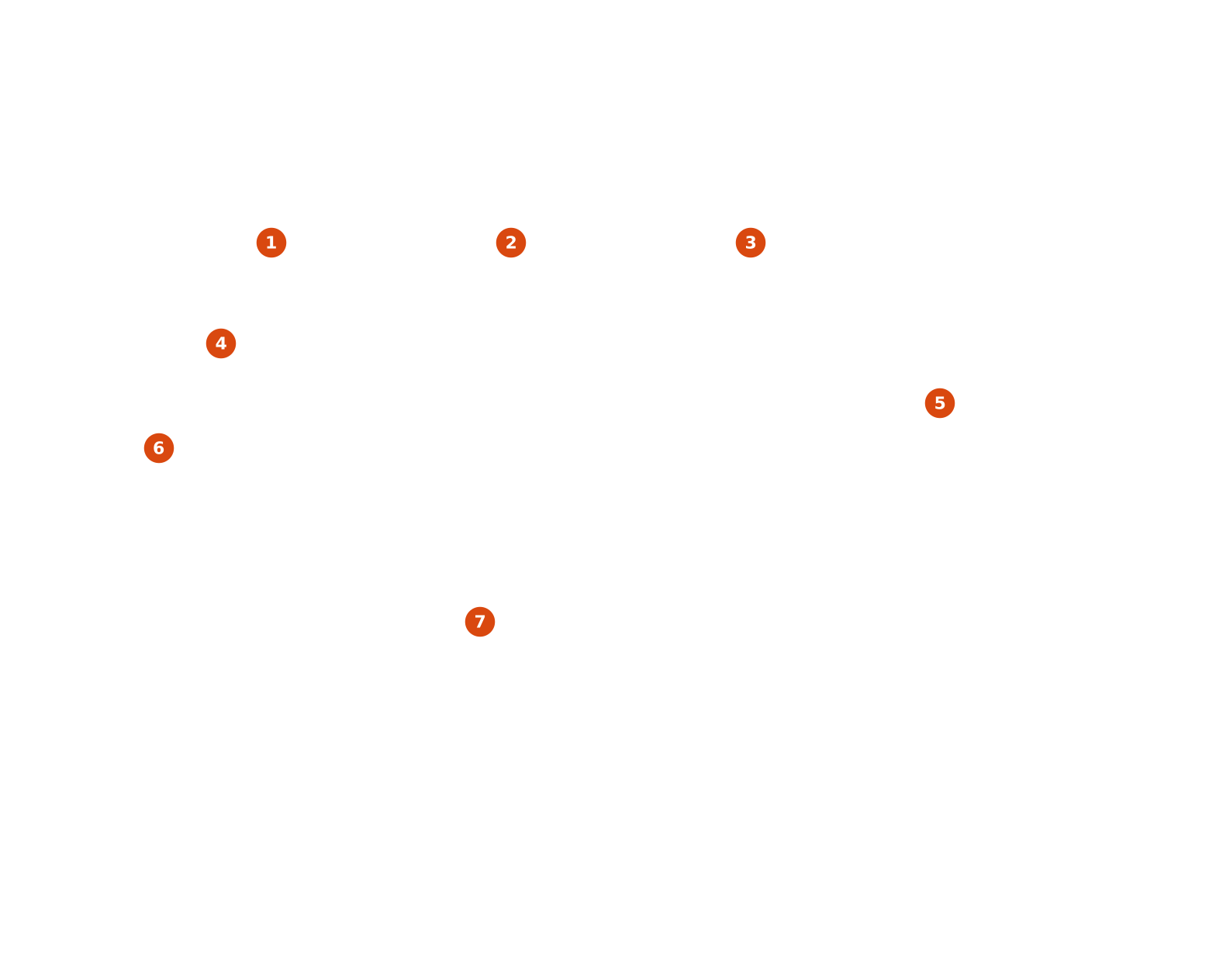
The assembled board with its design blocks numbered. On the site the picture is a model that turns, or the top render where WebGL is absent, and each number is a link to the block's page: its schematic, parts, ports and placement guidance. Read on the forge, the picture is the plain top render and the table below is the key.
The numbers are links; in a browser with WebGL this picture is a model that turns.
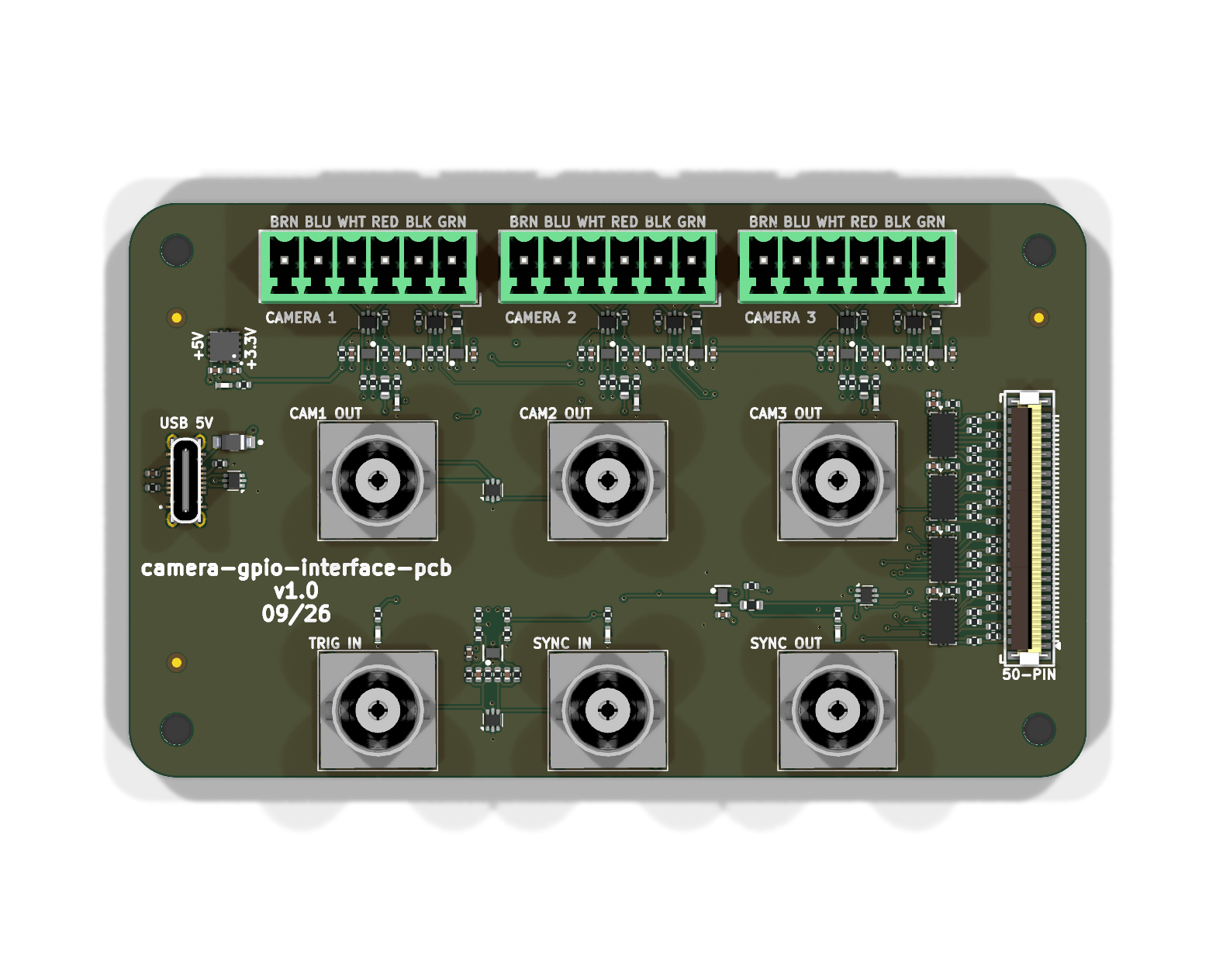
| # | Block instance | Library block | On sheet | Side | Parts |
|---|---|---|---|---|---|
| 1 | blackfly_s_gpio_channel_mcv6_vertical |
orb_weaver_blackfly_s_gpio_channel:blackfly_s_gpio_channel_mcv6_vertical |
/ |
top | 21 |
| 2 | blackfly_s_gpio_channel_mcv6_vertical1 |
orb_weaver_blackfly_s_gpio_channel:blackfly_s_gpio_channel_mcv6_vertical |
/ |
top | 21 |
| 3 | blackfly_s_gpio_channel_mcv6_vertical2 |
orb_weaver_blackfly_s_gpio_channel:blackfly_s_gpio_channel_mcv6_vertical |
/ |
top | 21 |
| 4 | 5v_to_3v3_tps73733 |
orb_weaver_private:5v_to_3v3_tps73733 |
/power |
top | 3 |
| 5 | instrument_port_digital_50_dut_ffc_boundary_vertical |
orb_weaver_private:instrument_port_digital_50_dut_ffc_boundary_vertical |
/ |
top | 46 |
| 6 | usb2_vertical |
orb_weaver_private:usb2_vertical |
/power |
top | 6 |
| 7 | logic_input_2ch_5v_schmitt_sn74lvc2g17 |
orb_weaver_private:logic_input_2ch_5v_schmitt_sn74lvc2g17 |
/inputs |
top | 12 |
The numbers run left to right, top to bottom over the top view. The model is
3d/camera-gpio-interface-pcb.glb (metres, Y up, the board's x and y along X and Z); the drawing
3d/top.svg is 3d/top.png at
12.35 px/mm with one rectangle per block, the union of its footprints' courtyards; both and the
footprints of each block are recorded in 3d/hotspots.json.
Each block's page shows the render clipped around its rectangle.
Where to go
- Generated documentation: the renders, every document, the bill of materials and the enclosure reference.
- Design blocks: one page per placed block, with its schematic, parts, ports and place on the board.
- Subsystems from their recipes.
- The navigation lists the board's own pages.